Accept crypto, get paid out to your own wallets
Your buyers pay in USDT, BTC, ETH or another coin. CoinsPay waits for the network to confirm, then sends the money on to your wallets in the shares you set.
Buyers pay with what they already hold
Buyers pay from the network their coins are already on, without paying to move them elsewhere.
- USDTTether USDTRONBSCEthereumSolana
- BTCBitcoinBitcoinTRONBSCEthereum
- ETHEtherEthereumTRONBSC
- USDCUSD CoinTRONBSCEthereumSolana
- TRXTRONTRONBSCEthereum
- BNBBNBBSCEthereum
- LTCLitecoinLitecoinTRON
- SOLSolanaSolanaBSC
- LINKChainlinkBSCEthereum
- UNIUniswapBSCEthereum
- SHIBShiba InuBSCEthereum
- WBTCWrapped BitcoinEthereum
- BTCBBinance-Peg BTCBSC
- WETHWrapped EtherEthereum
- WBNBWrapped BNBBSC
How it works
Setup takes about five minutes. After that CoinsPay runs on its own, and the money keeps landing in your wallets.
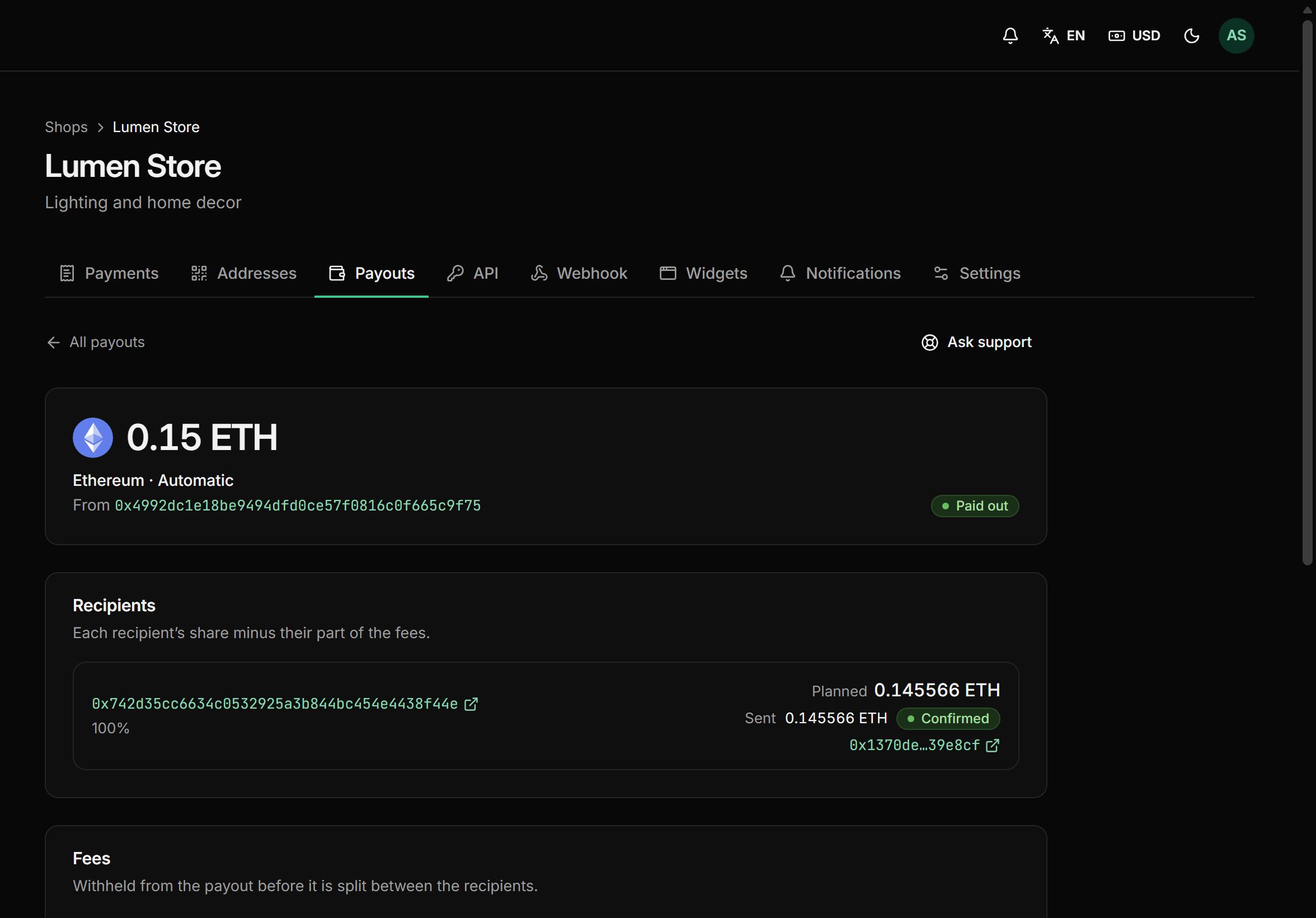
See what you’ll receive
Pick a coin and an amount, split the payout between wallets and see what lands in each one.
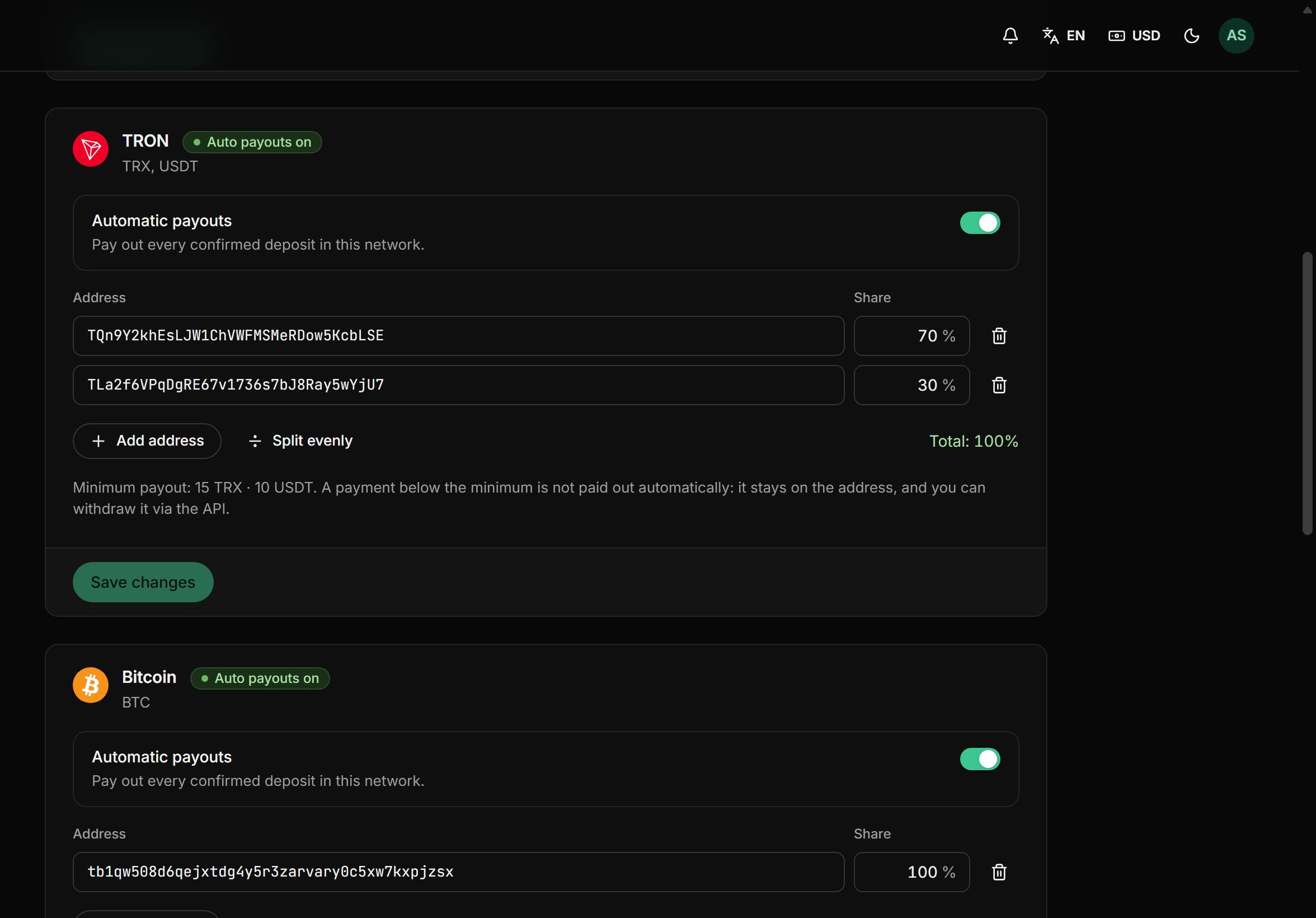
How the payout splits
- 1Wallet 1: TQn9…bLSE70%83.75 USDT
- 2Wallet 2: TLa2…YjU730%35.89 USDT
For the first 10 days after your first payment, payouts up to $500 carry no fee.
Shares and wallets come from your payout rules. The network fee comes out of the payout.
What you get
Invoices, payouts, notifications and reports are ready to go. All that’s left is selling.
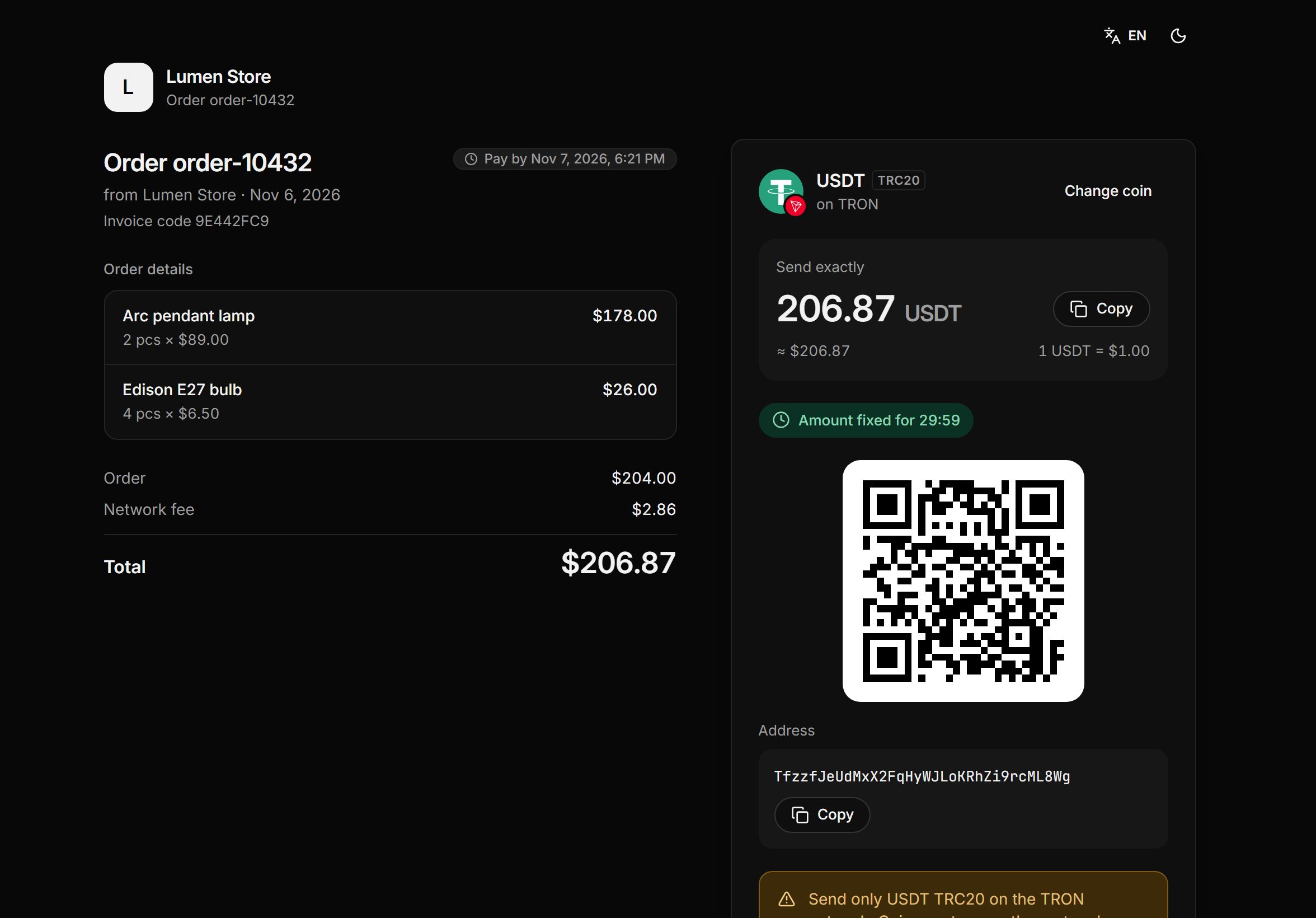
Invoice by link
Put together an invoice with items and a due date, then send the buyer a link. They pick the coin themselves and get a receipt once they pay.
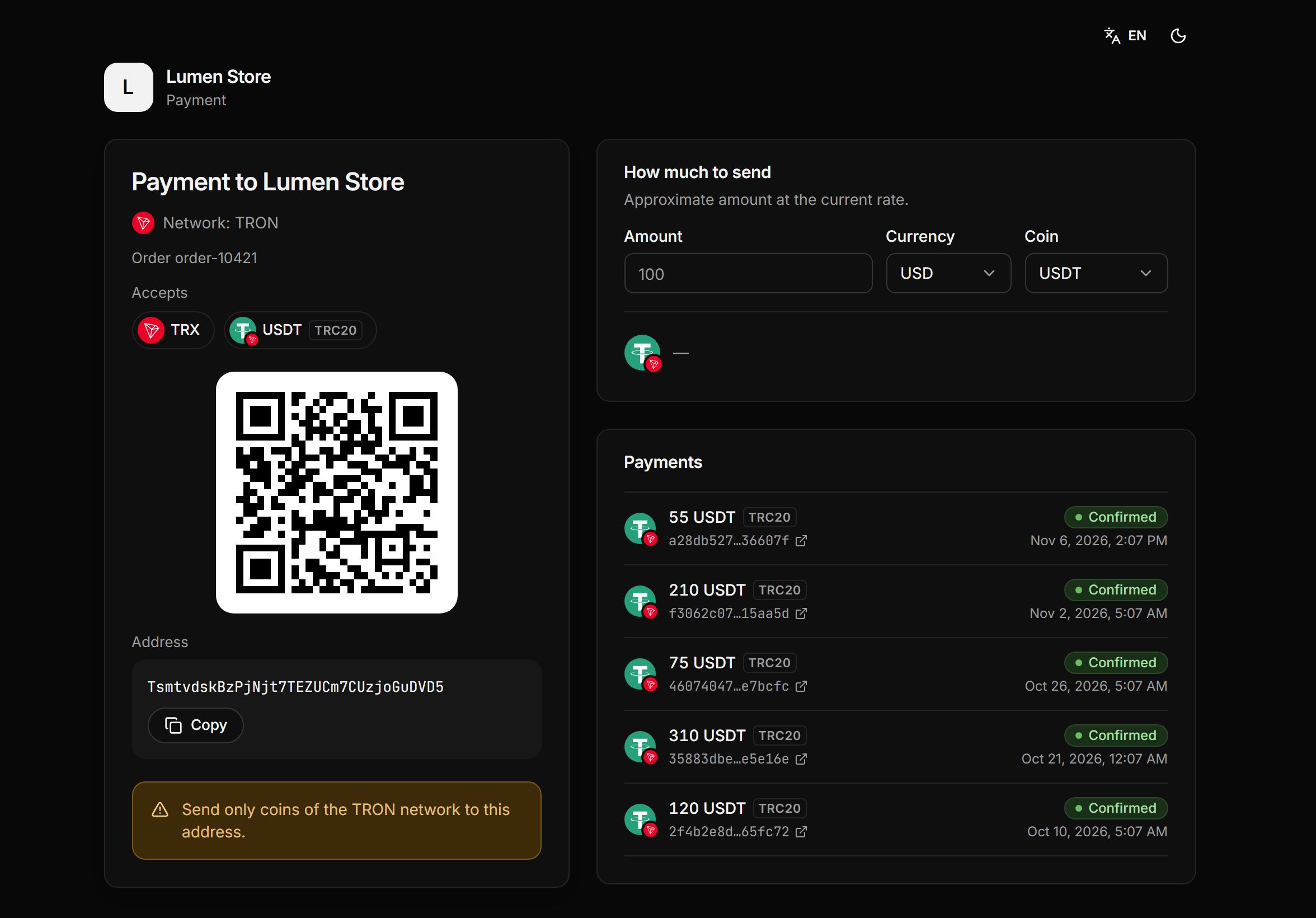
Standing address
Issue an address for an order or a regular customer. Anything sent to it is credited automatically and tagged with the order number.
Auto payouts by share
Up to five wallets per network, percentage shares and a minimum payout. Nothing piles up on the platform.
Keep the full amount
Pass the service and network fees to the buyer. Their total goes up slightly, and you receive exactly the invoice amount.
Telegram alerts
The bot reports every payment and payout to a private chat, a group or a channel, and you can change the message text.
Reports that don’t drift
The amount in your currency is fixed when a payment is credited. Last month’s report stays the same even if bitcoin halves.
Several shops
Add a separate shop for each website or project. Each has its own wallets, payout rules and notifications, and the money summary covers them all.
Dashboard protection
Two-factor sign-in. Changing payout addresses or issuing an API key takes a code or your password, even in a dashboard someone left open.
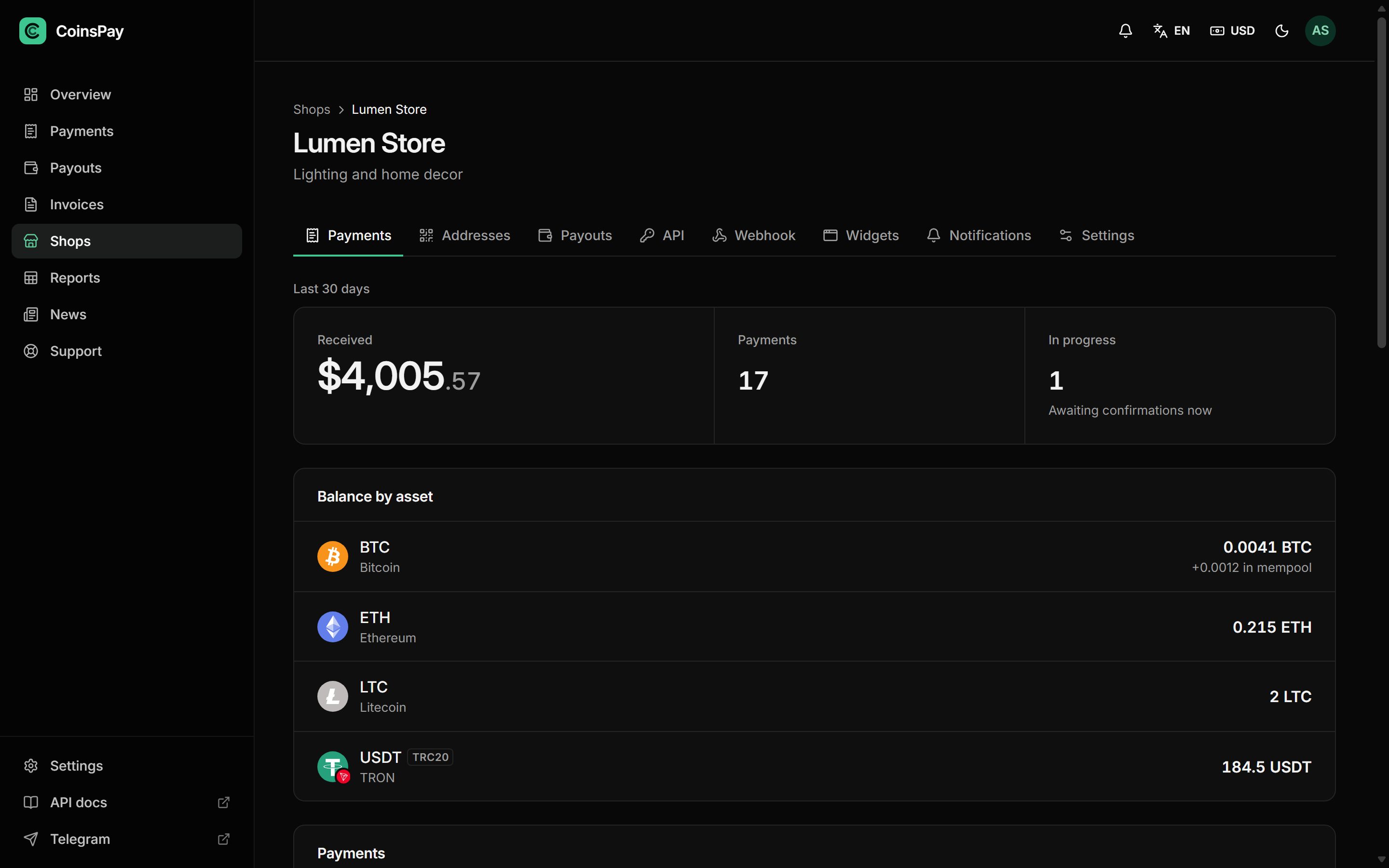
All your money on one screen
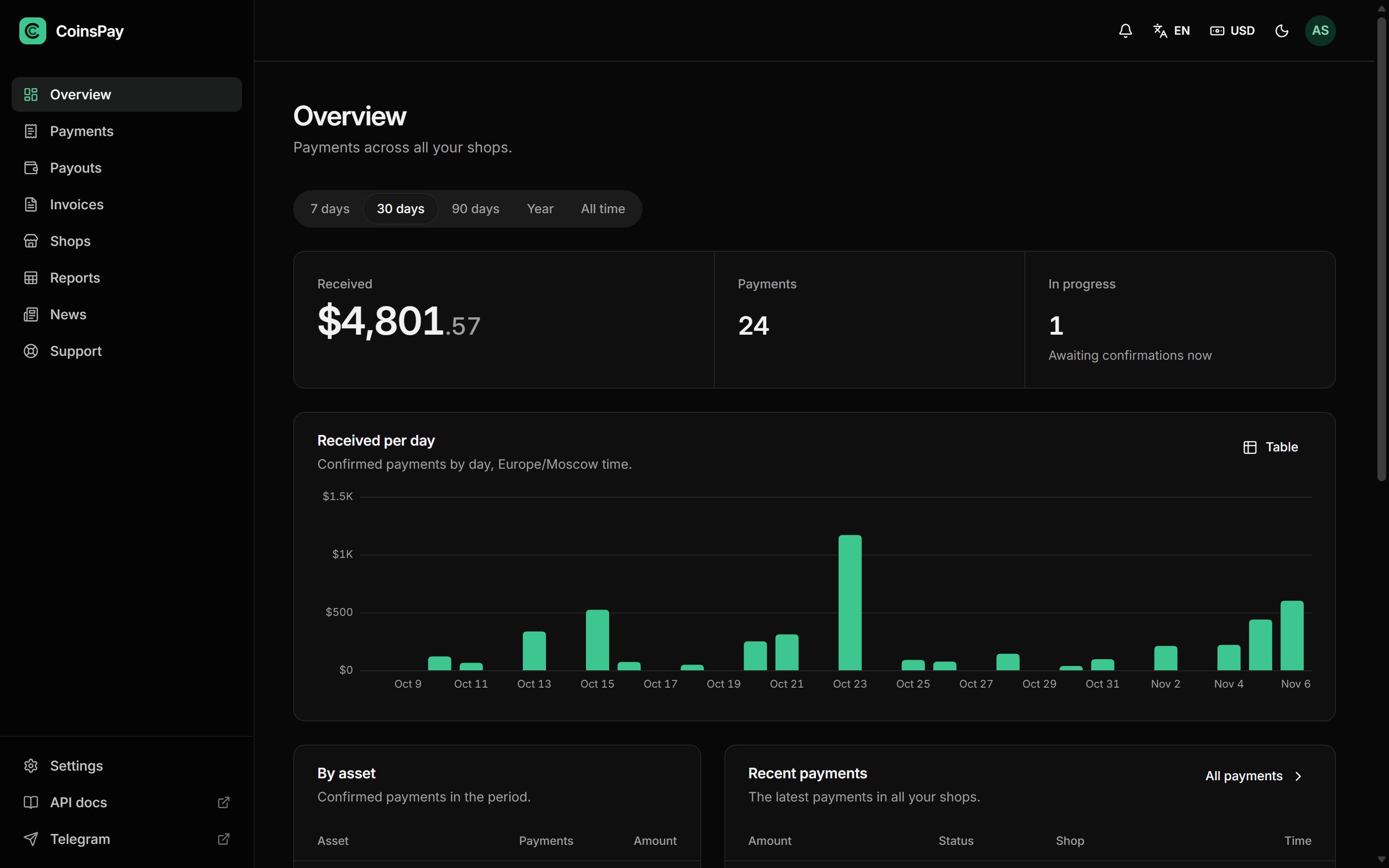
Payments, payouts and invoices for every shop: what came in, on which network, what it was worth in your currency when it was credited, and which wallet it went to.
Pay only when you get paid
- First 10 days fee-free, on payouts up to $500
- No monthly or setup fee
- The fee can go on the buyer’s invoice
- Network fees at cost, no markup
Common questions
All questionsDoes the buyer need an account?
No. They open the payment link, pick a coin and pay from any wallet, by QR code or by copying the address.
Where is the money kept?
In your wallets. A payment lands on your shop’s address and moves on as soon as it is credited, following your payout rules. You never keep a balance on the platform.
What if the buyer sends too little?
The invoice becomes partially paid. The payment page shows what is left, and the buyer tops up in the same coin.
And if they pick the wrong network?
The payment page shows the coin, the token standard and the network up front, so it is hard to get wrong. If a payment still arrives on another network, the dashboard flags it separately.
Can a buyer reverse a payment?
No. A blockchain transfer can’t be cancelled, so there are no chargebacks like with card payments.
Can I start without a developer?
Yes. Issue invoices in the dashboard and send the buyer a link by email or in a messenger. You only need a developer to build payments into your website.
How is the dashboard protected?
Two-factor sign-in, a code for risky actions, an audit log of admin actions and a session list where you can end any session.
Which currency are reports in?
The one you choose. Each payment is fixed at the rate when it was credited, so reports don’t move with the market.
Start taking crypto today
Signing up takes a minute and setting up a shop about five more. Connecting is free.
Sign in