A payment page that makes paying in crypto easy
Your customer picks a coin, sees the exact amount and pays in one click from a wallet or by QR code. The page watches the network and shows when the payment arrives and confirms. Nothing to build or maintain: it works from day one.
- Coins and tokens
- 30+
- Rate
- locked for 30 minutes
- One click
- MetaMask, TronLink, Phantom
What makes the page easy to use
The rate holds
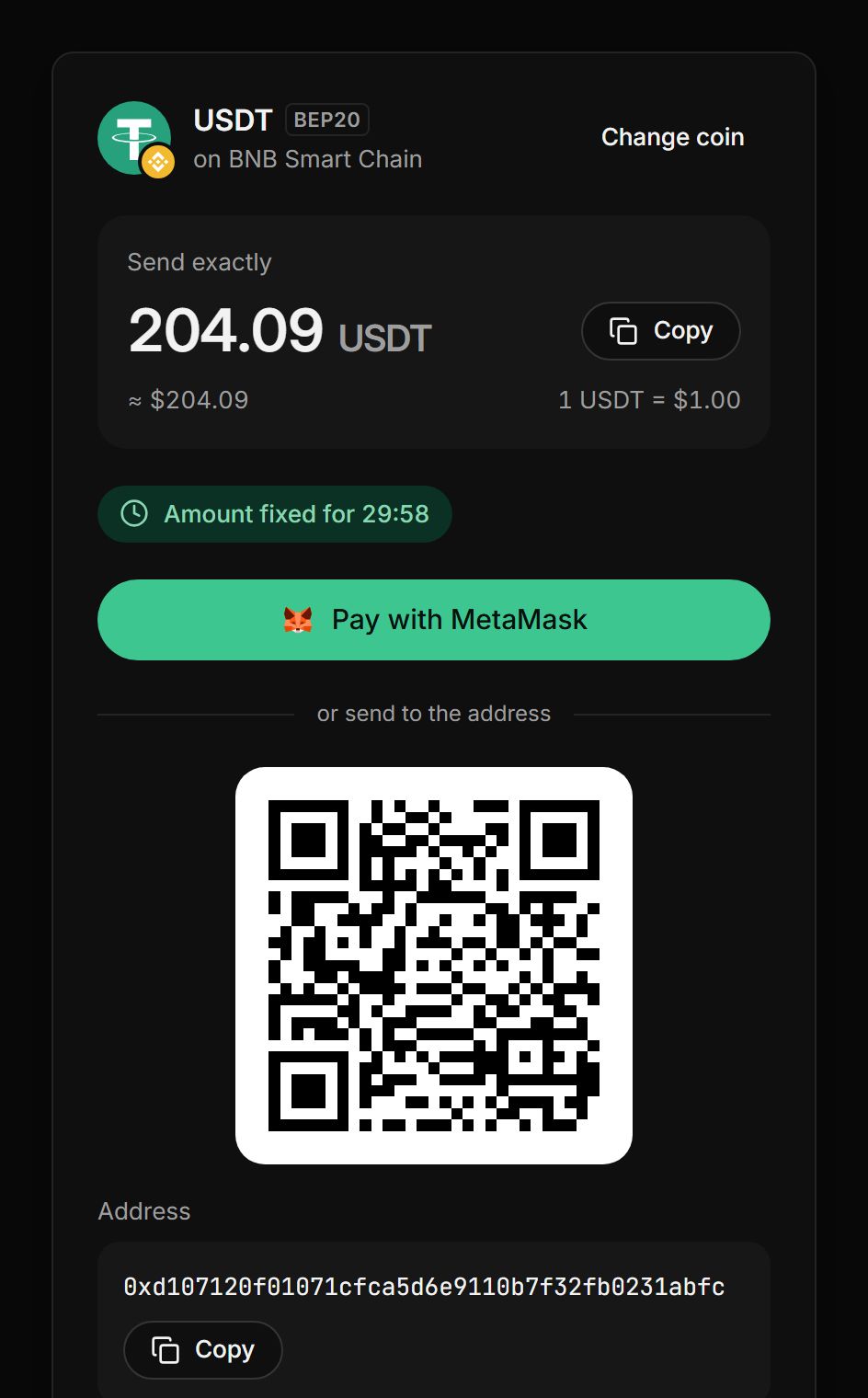
Once a coin is chosen, the amount holds for 30 minutes. The customer has time to find their wallet, and the amount won’t change halfway.
One-click payment
If the browser has MetaMask, TronLink or Phantom, the page offers to pay straight from it. The address and amount fill in on their own.
Checks before sending
The page checks the wallet balance and warns in advance if there aren’t enough coins or gas for the transfer.
Easy on any screen
Phones get a QR code and an open-in-wallet button, computers get copy buttons. The page speaks English and Russian and comes in light and dark themes.
How your customer pays
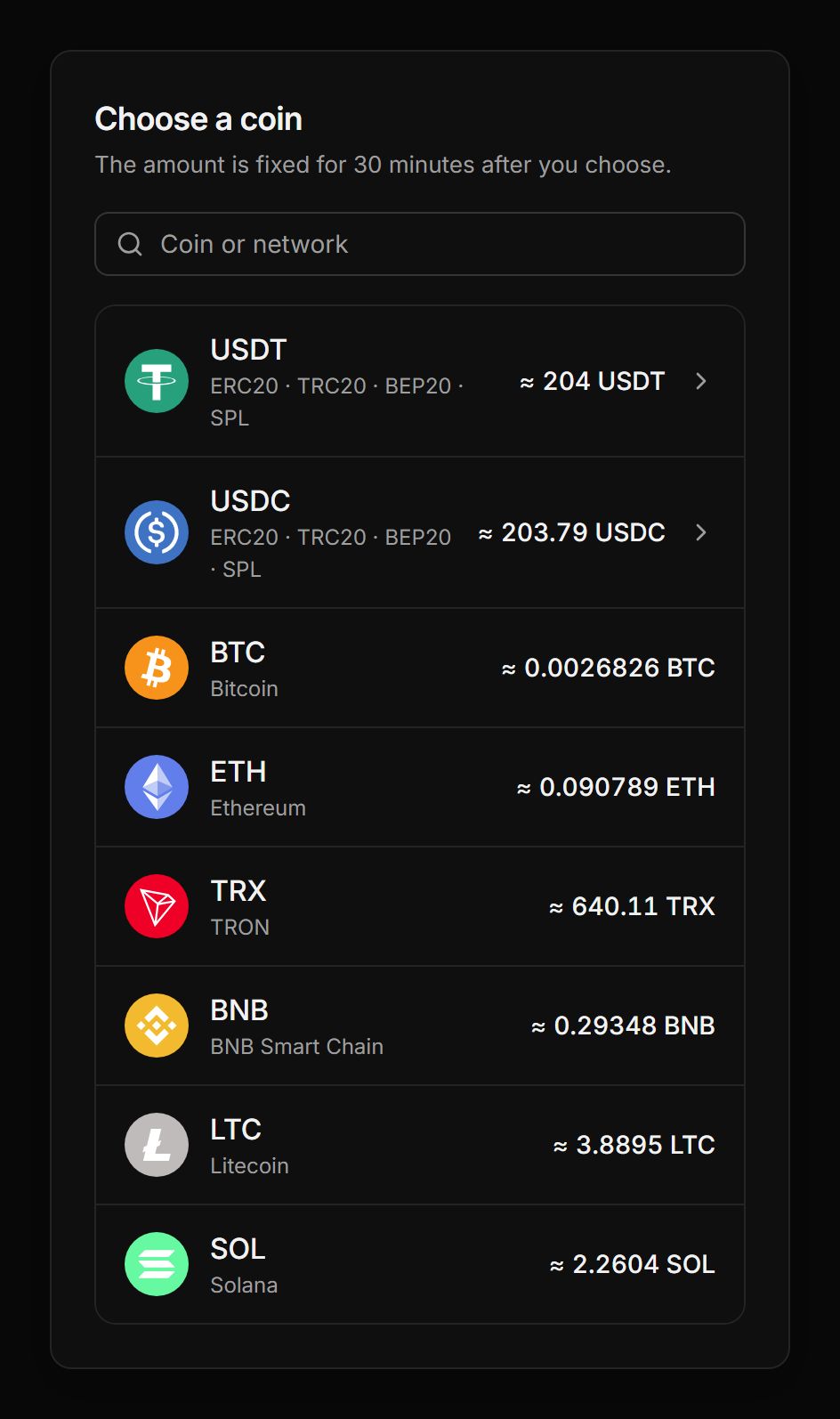
- 01Picks a coinEach coin shows the amount in it. For USDT and USDC the customer also picks a network, and the page points out the cheapest one.
- 02Sees the exact amountThe amount is locked for 30 minutes, with a timer, a QR code and the address next to it.
- 03PaysIn one click from MetaMask, TronLink or Phantom, by QR code from a phone, or with a transfer from an exchange.
- 04Gets a receiptThe page spots the payment, shows the network confirmations, issues a receipt and then sends the customer back to your shop.
Details that answer your customer’s questions
Whatever a customer might ask support, the page explains on its own.
Wallet fees
The page reminds the customer: if a wallet or exchange takes its fee out of the amount, add it on top.
Refresh in one tap
If 30 minutes pass, the customer gets a new amount at the current rate. The address stays the same, and a payment already sent is credited.
Partial payment
If less arrives, the page shows the balance and offers to top it up.
Network confirmations
The customer sees the payment has arrived and can close the page: it updates on its own.
PDF receipt
After paying, the customer keeps a receipt with the order details to print or save.
Back to your shop
Add a return link, and 5 seconds after paying the customer is taken back to your site.
Pay only when you get paid
- First 10 days fee-free, on payouts up to $500
- No monthly or setup fee
- The fee can go on the buyer’s invoice
- Network fees at cost, no markup
Frequently asked questions
All questionsDo I need to build my own payment page?
No. The page is ready from the start: every invoice and every address comes with a link to it. If you want payments right on your site, there are the widget and the API.
Which wallets pay in one click?
On Ethereum and BNB Smart Chain: MetaMask, Rabby, OKX Wallet and other browser wallets. On TRON: TronLink. On Solana: Phantom, Solflare and Backpack. Bitcoin and Litecoin are paid by QR code or link from any wallet.
How long does the crypto amount hold?
30 minutes after the customer picks a coin. Then the page offers to recalculate the amount at the current rate, and the address stays the same.
Can customers pay from an exchange?
Yes, they can withdraw coins from an exchange straight to the address on the page. The full amount just has to arrive: if the exchange takes its fee out of the amount, it should be added on top.
Which languages does the page support?
English and Russian, with a switch in the corner. The theme can be switched too: light or dark.
What does the customer see after paying?
A payment confirmation, a receipt they can save as PDF and a “Back to the shop” button. If you set a return link, they go back to your site on their own after 5 seconds.
How much does it cost?
Nothing extra: it comes with the plan. You only pay a fee from 0.3% per payout, and the rate goes down as your volume grows. For the first 10 days after your first payment, payouts up to $500 carry no fee.
More features
- Telegram notifications
The bot reports every payment and payout to a chat, group or channel.
- Accounting reports
Payments and payouts in Excel or CSV, valued at the moment of crediting.
- Split payouts
Every payment goes to your wallets on its own, split the way you set.
- Payment links
Create an invoice in a minute and send your customer a payment link.
- Balance top-ups
A permanent address for each customer and a QR widget on your site.
Start taking crypto today
Signing up takes a minute and setting up a shop about five more. Connecting is free.