Your customers’ money, straight to your wallets
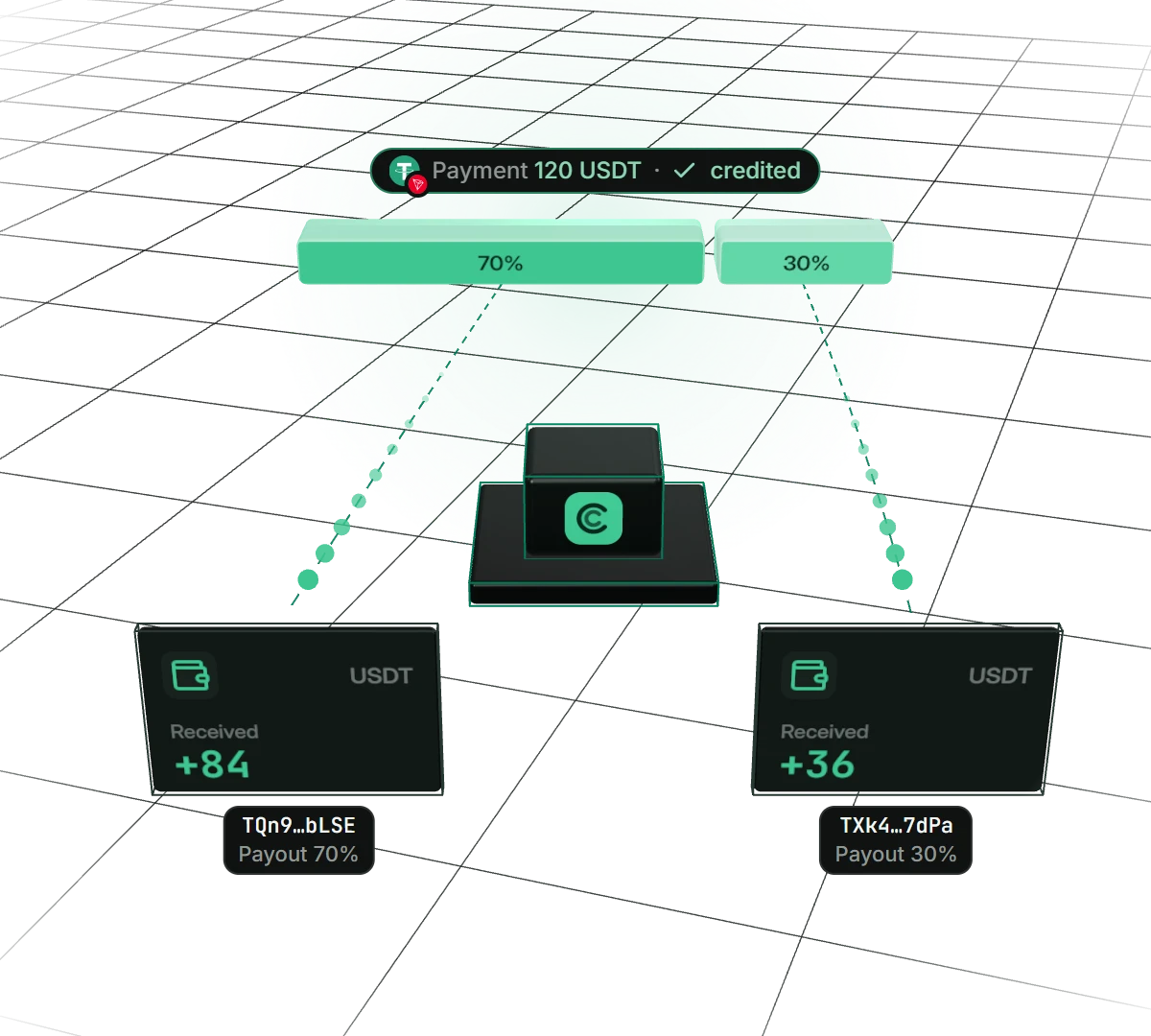
Set your wallets and shares, and CoinsPay takes it from there: once the network confirms a payment, the money goes to your addresses. Say, 70% to your wallet and 30% to a partner. No manual withdrawals, ever.
- Wallets per network
- up to 5
- Shares
- in percent, to 0.01
- Payout
- right after crediting
Why shops switch on auto payouts
The money is always yours
Nothing piles up on the platform. Every payment goes to your wallet as soon as the network confirms it, and only you control it.
Partners get their share on their own
Add up to five wallets and give each one a share in percent. A partner, a supplier or your second wallet gets its part of every payment. No more splitting revenue in a spreadsheet.
Gas is not your problem
CoinsPay pays the network fee itself and deducts it from the payout in proportion to the shares. You never need to keep TRX, ETH or BNB for gas.
Every payout in plain sight
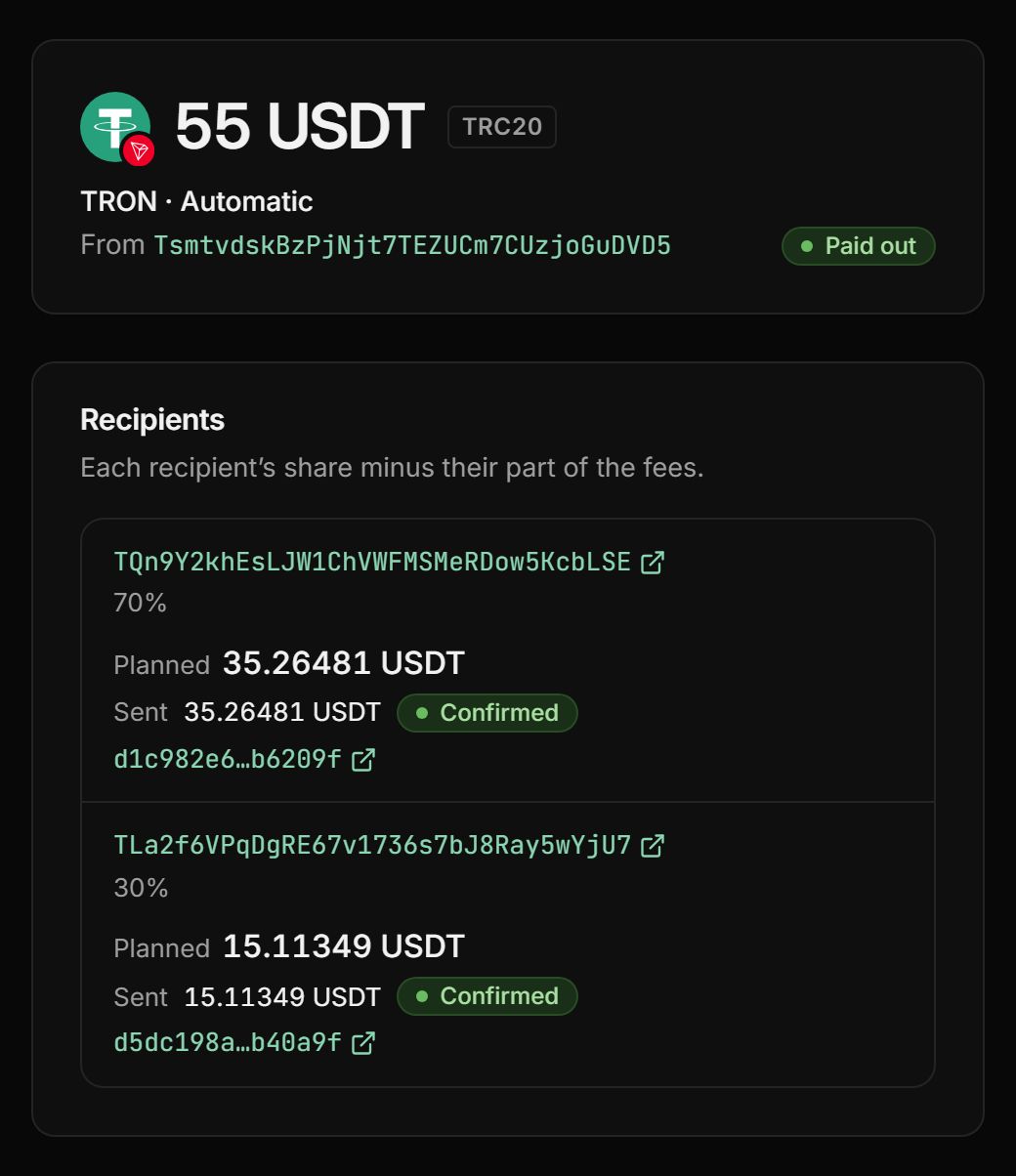
The dashboard shows how much went to each wallet, in which transaction and what was withheld. The Telegram bot tells you when a payout lands.
How to set up auto payouts
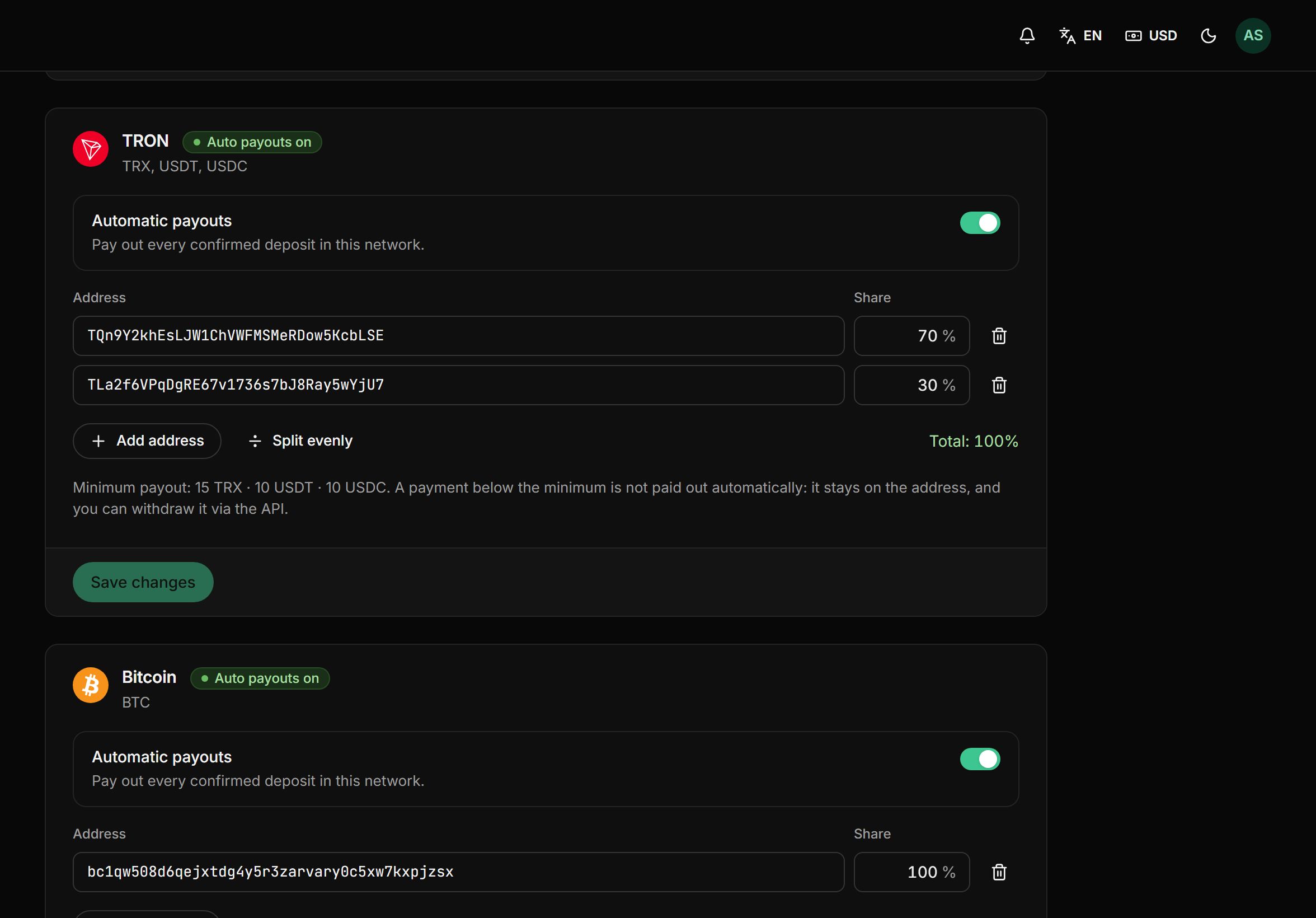
- 01Add your walletsEnter up to five addresses for each network: TRON, BNB Smart Chain, Ethereum, Solana, Bitcoin or Litecoin. One address receives every coin of its network.
- 02Set the sharesType in percentages or press “Split evenly”. They must add up to 100%, and the dashboard checks that for you.
- 03Your customer paysThey pay an invoice or send coins to a permanent address. CoinsPay waits for the network confirmations and credits the payment.
- 04Money in your walletsThe payment is split by share and sent to your addresses. The dashboard shows what each wallet received and in which transaction.
See what each wallet receives
Set the payment amount and each wallet’s share. The calculator shows right away what lands on every address after the fee.
How the payout splits
- 1Wallet 1: TQn9…bLSE70%83.75 USDT
- 2Wallet 2: TLa2…YjU730%35.89 USDT
For the first 10 days after your first payment, payouts up to $500 carry no fee.
Shares and wallets come from your payout rules. The network fee comes out of the payout.
What else payouts can do
The details people usually ask about after they connect.
A rule for each network
Split TRON payouts 70/30 and send all your bitcoin to a single wallet.
Minimum payout
Each coin has a payout minimum, for example 10 USDT. A payment below it stays on the address, and you can withdraw it through the API.
Expensive gas can wait
If the network suddenly gets pricey, your payout won’t burn on fees: CoinsPay retries it once gas gets cheaper.
Recipients per address
An address issued through the API can have recipients of its own. Its money goes to them, bypassing the shop’s general rule.
Payouts through the API
Your server can send a payout with an API request. It shows up in the same history, with its own recipients and transactions.
Wallets change only with a code
Payout addresses can be changed only with a two-factor code or your password, even in an open session.
Pay only when you get paid
- First 10 days fee-free, on payouts up to $500
- No monthly or setup fee
- The fee can go on the buyer’s invoice
- Network fees at cost, no markup
Frequently asked questions
All questionsHow often do payouts arrive?
After every payment. Once a payment is credited, CoinsPay sends it to your wallets as a separate payout. There is no balance to build up and no payout day to wait for.
How many wallets can I add?
Up to five per network. Shares are set in percent, down to 0.01%, and add up to 100%.
Who pays the network fee for a payout?
It is deducted from the payout in proportion to the recipients’ shares, so you never need coins for gas. On an invoice, you can also pass the network fee on to the customer.
What if a payment is below the payout minimum?
It is credited and stays on the receiving address. You can withdraw it with an API request whenever you like.
Can I pay partners?
Yes. Add your partner’s wallet to the rule and set their share. They get their part of every payment on that network, and you see in the dashboard what went out and when.
What happens when the network is congested?
If gas spikes too high, the payout waits and retries on its own once the network gets cheaper. Meanwhile the money stays on the receiving address.
How much does it cost?
Nothing extra: it comes with the plan. You only pay a fee from 0.3% per payout, and the rate goes down as your volume grows. For the first 10 days after your first payment, payouts up to $500 carry no fee.
More features
- Payment links
Create an invoice in a minute and send your customer a payment link.
- Balance top-ups
A permanent address for each customer and a QR widget on your site.
- Payment page
A ready page: 30+ coins, a 30-minute rate and one-click payment.
- Telegram notifications
The bot reports every payment and payout to a chat, group or channel.
- Accounting reports
Payments and payouts in Excel or CSV, valued at the moment of crediting.
Start taking crypto today
Signing up takes a minute and setting up a shop about five more. Connecting is free.