Reports that don’t swing with the rate
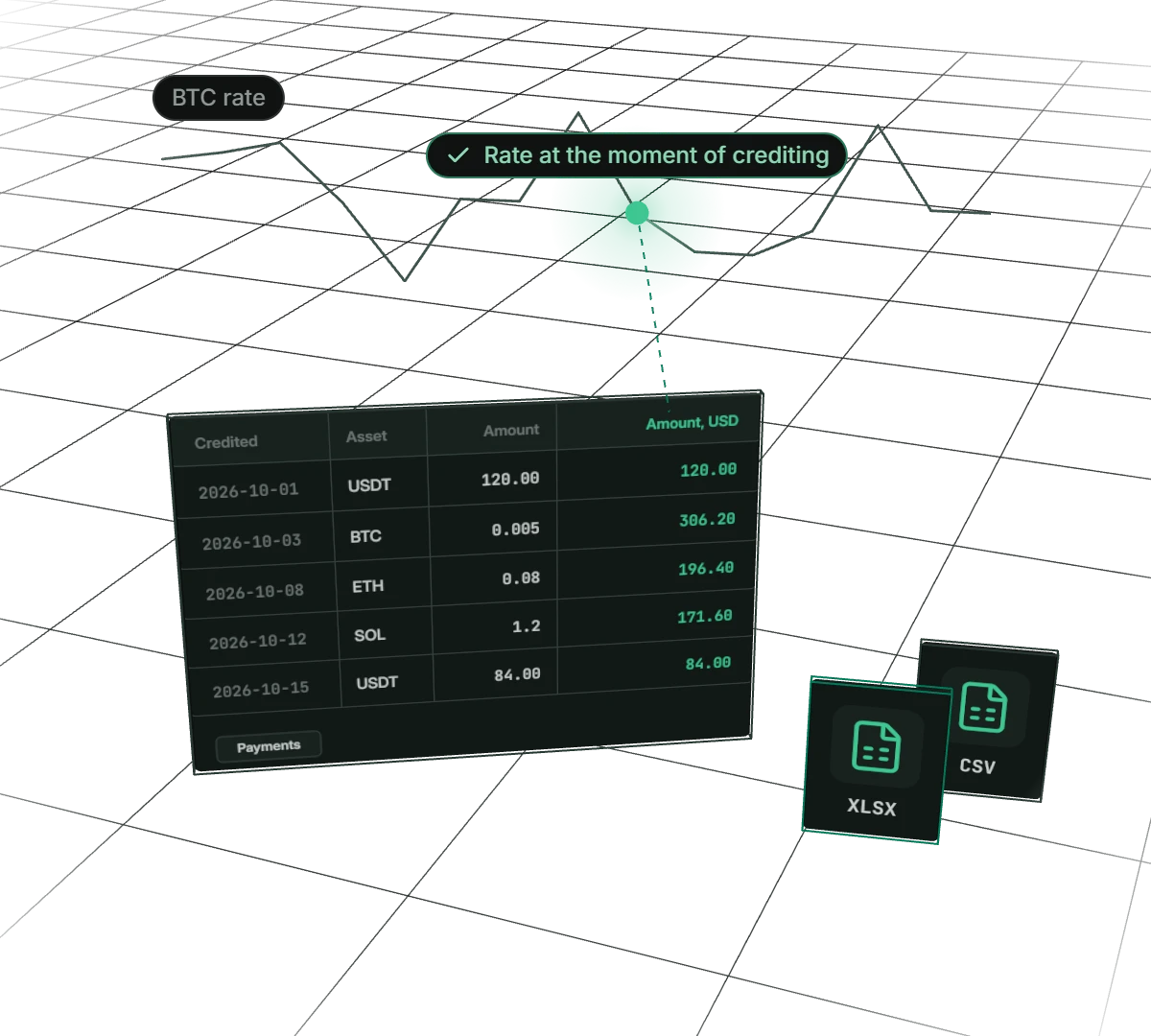
Every payment gets its value in dollars and your currency the moment it is credited. Last month’s report stays the same even if bitcoin halves. Export payments or payouts for the period you need, to Excel for your accountant or to CSV for your own system.
- Formats
- Excel and CSV
- Rate
- at the moment of crediting
- Period
- up to a year
What your accountant gets
The rate is fixed
The value in your currency is calculated at the rate when the payment is credited and never changes. The report matches what you saw in the dashboard on the day of payment.
Excel without manual fixes
Amounts are stored as numbers, times as dates, and the columns have filters. The file is ready for pivots and sums.
CSV for your system
UTF-8, commas, amounts with a dot and one time format. Easy to load into accounting software or your own script.
Payouts with fees
The payouts report shows what was taken from the address, what went to recipients and what the platform and network fees were.
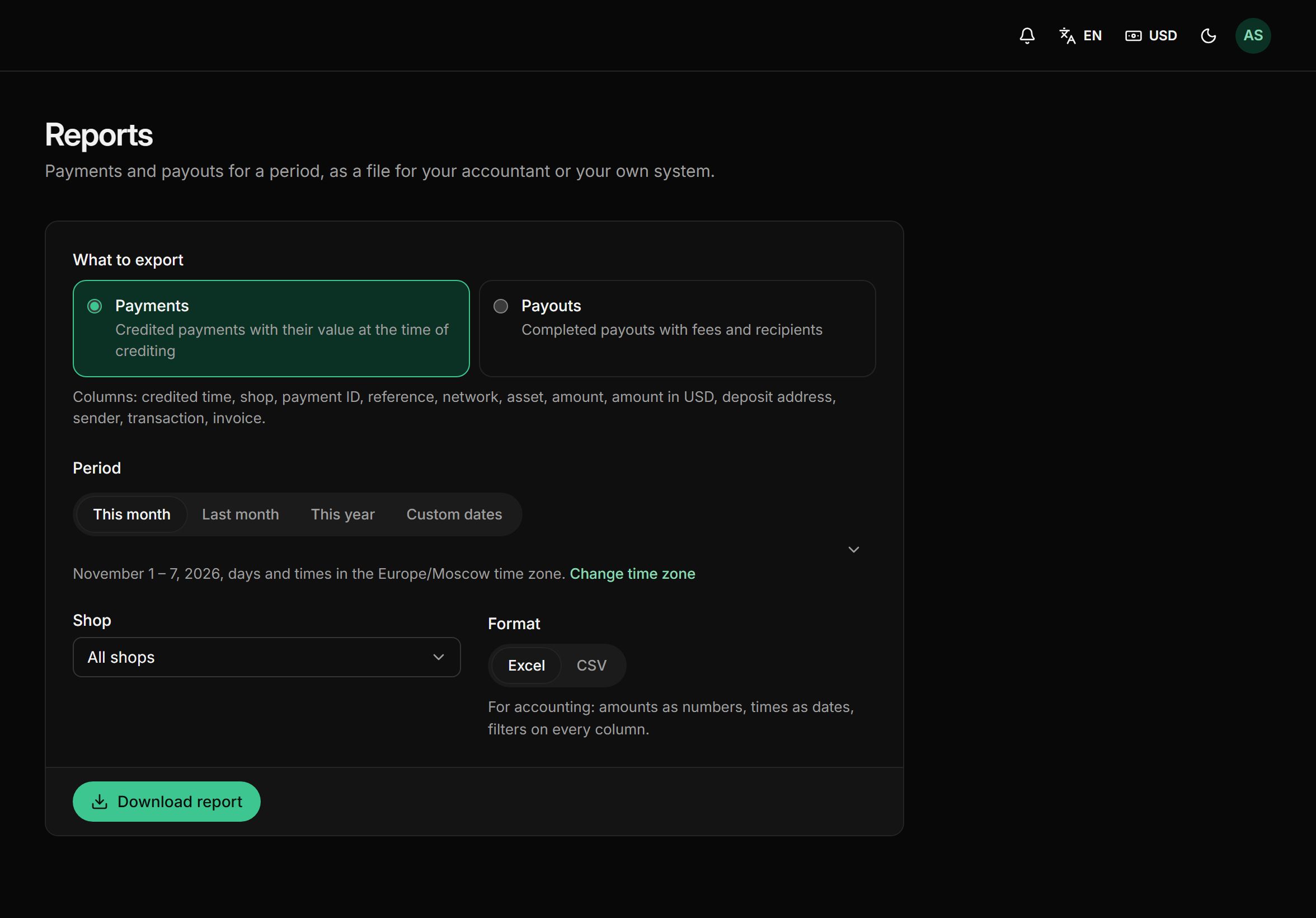
How to export a report
- 01Choose what to exportCredited payments or completed payouts.
- 02Set the periodThis month, last month, this year or custom dates, up to 366 days. Days follow your time zone.
- 03Pick a shop and formatAll shops at once or just one, Excel or CSV.
- 04Download the filePress Download report and the file is saved to your computer. Any payment’s row can be checked against its page in the dashboard.
What’s inside a report
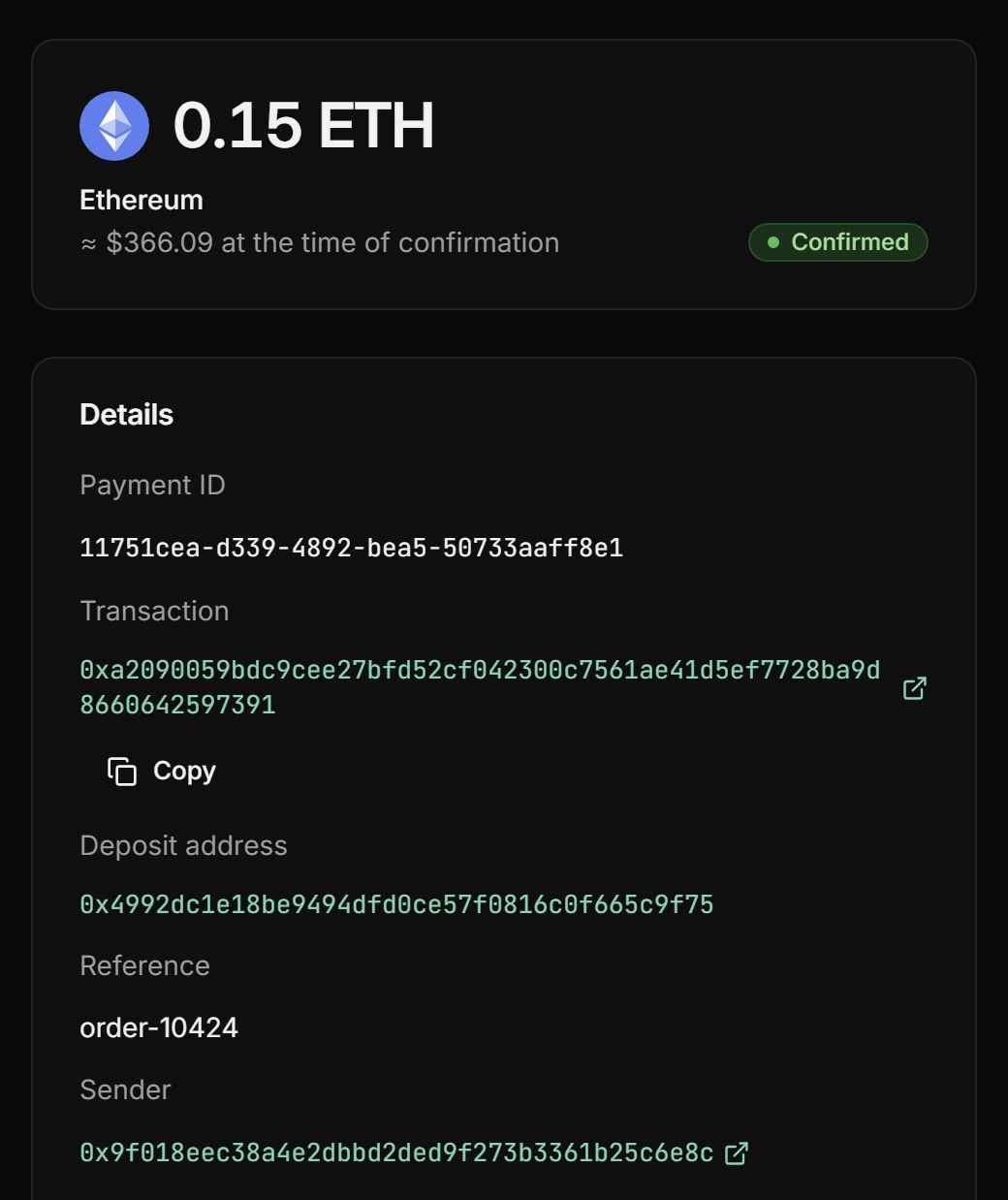
Everything to match money against orders and against the blockchain.
Time and shop
When the payment was credited or the payout completed, and which shop it belongs to.
Order number
Your order number next to every payment, so the report is easy to match against orders on your site.
Amount in coin and currency
The amount in the coin, in dollars and in your display currency, at the rate at the moment of crediting.
The on-chain trail
Receiving address, sender and transaction: any payment can be checked in a block explorer.
Payout fees
The platform rate and fee, the fee-free part during the first 10 days, the network fee and its adjustment.
Recipients
Who got how much from each payout, with transaction hashes.
Pay only when you get paid
- First 10 days fee-free, on payouts up to $500
- No monthly or setup fee
- The fee can go on the buyer’s invoice
- Network fees at cost, no markup
Frequently asked questions
All questionsWhich rate is used for the report value?
The rate at the moment the payment is credited. It is fixed for good, so last month’s report doesn’t change with the market.
Which currency are the amounts in?
In dollars and in your display currency: euros or any other from the list in your settings.
Which formats are available?
Excel for accounting: amounts as numbers, times as dates, column filters. And CSV for your own system: UTF-8, comma-separated, amounts with a dot.
What period can I export?
Up to 366 days: this month, last month, this year or custom dates.
Can I export a single shop?
Yes, or all shops at once. Each row names its shop.
Do test invoices end up in reports?
No. Test invoices never reach balances, payouts or reports.
Can I see the rate in the dashboard too?
Yes. The payment page shows the value in your currency at the moment of crediting and the rate it was calculated at.
More features
- Split payouts
Every payment goes to your wallets on its own, split the way you set.
- Payment links
Create an invoice in a minute and send your customer a payment link.
- Balance top-ups
A permanent address for each customer and a QR widget on your site.
- Payment page
A ready page: 30+ coins, a 30-minute rate and one-click payment.
- Telegram notifications
The bot reports every payment and payout to a chat, group or channel.
Start taking crypto today
Signing up takes a minute and setting up a shop about five more. Connecting is free.