Hear about every payment in Telegram
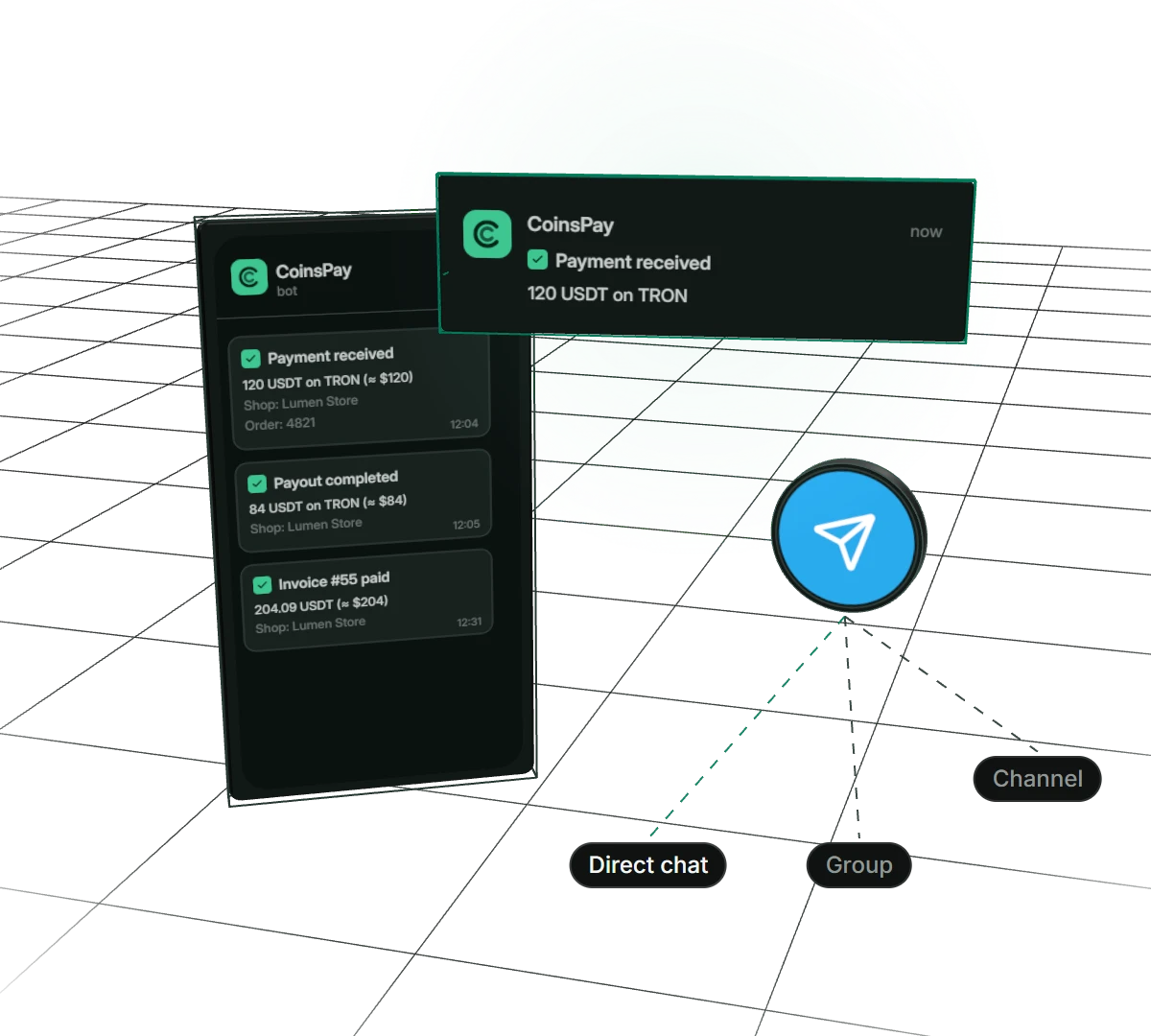
The bot writes as soon as a payment is credited, a payout lands or an invoice is paid: amount, coin, network, order number and a link to the dashboard. Messages go to your private chat, your team’s group or a channel, and you can write the text yourself.
- Where
- chat, group, channel
- Chats per shop
- up to 5
- Text
- ready-made or your own
Why your shop wants a Telegram bot
See the money right away
The message arrives as soon as a payment is credited. You can ship the order without opening the dashboard.
The whole team in the loop
Add the bot to your managers’ group or a revenue channel. A team member gets only the shop’s notifications, with no access to the dashboard.
Failures don’t slip by
If a payout fails, the bot says so, with the reason. You hear about the problem before a partner asks where the money is.
Messages in your own words
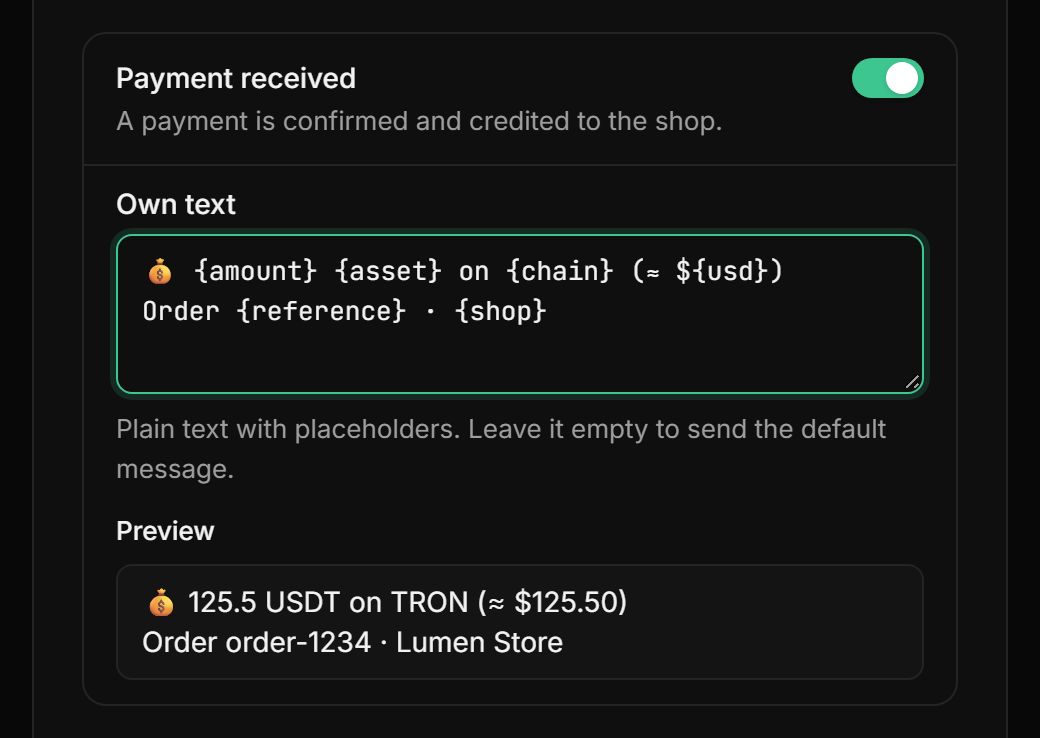
Write your own text: amount, coin, network, dollar value, order number and time fill in on their own.
How to set up notifications
- 01Link TelegramOpen the bot from the dashboard link and press Start. You can forward the link to a team member: the Telegram account that opens it gets linked.
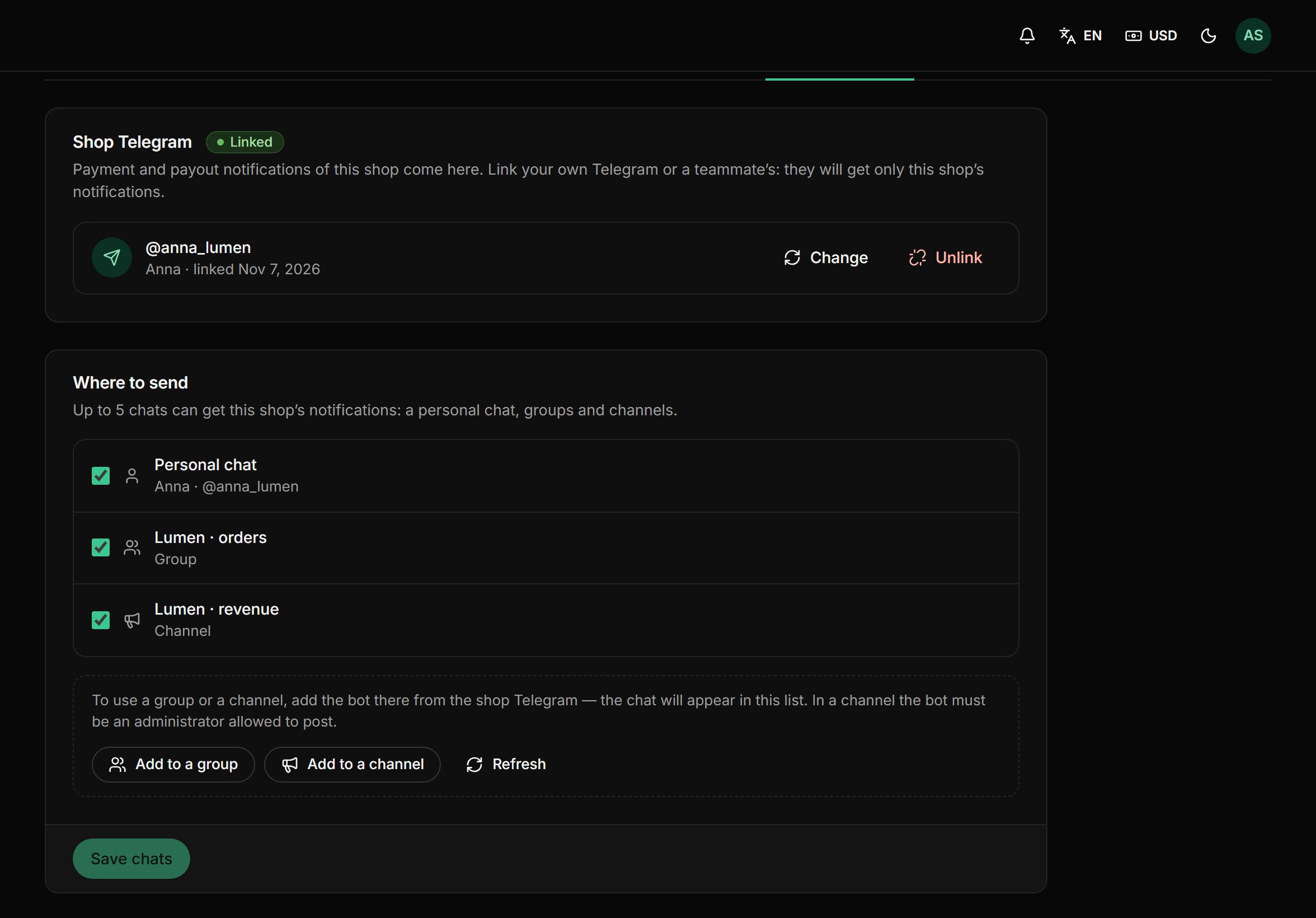
- 02Choose chatsYour private chat, plus groups and channels where the bot was added, up to five per shop. In a channel, the bot must be an admin.
- 03Pick eventsPayment received, payout completed or failed, invoice paid. Keep the ready-made text for each or write your own.
- 04Test itSend a test message to make sure the bot can post to the chats you picked.
What else the bot does
Small things that make the notifications worth trusting.
Ready-made messages in your language
Without a custom text, the bot sends a tidy message: the amount in bold and the transaction hash in monospace, easy to copy.
A link to the dashboard
Every message has an “Open in CoinsPay” link to the payment or payout.
Message log
The dashboard shows which messages went out in the last 30 days, and which didn’t and why.
Retries
If Telegram doesn’t answer, the bot tries to send the message again on its own.
A Telegram for each shop
Send each shop’s notifications to different people and different chats.
Account security
The account’s Telegram receives password reset links, security alerts and support replies.
Pay only when you get paid
- First 10 days fee-free, on payouts up to $500
- No monthly or setup fee
- The fee can go on the buyer’s invoice
- Network fees at cost, no markup
Frequently asked questions
All questionsDo I need to install anything?
No. Just open the bot from the dashboard link and press Start.
What does the bot report?
Credited payments, completed and failed payouts, and paid invoices. You can turn off the events you don’t need.
Can notifications go to a group?
Yes. Add the bot to a group and it appears in the shop’s chat list. In a channel, the bot must be an admin allowed to post messages.
How many chats can I connect?
Up to five per shop: for example, your private chat, a managers’ group and a revenue channel.
Will a team member see my dashboard?
No. A linked team member gets only that shop’s notifications. They have no access to the dashboard, password links or account data.
Can I change the message text?
Yes. Write your own text with placeholders like {amount}, {asset}, {chain}, {usd} and {reference}. The preview shows right away how the message will look.
How much does it cost?
Nothing extra: it comes with the plan. You only pay a fee from 0.3% per payout, and the rate goes down as your volume grows. For the first 10 days after your first payment, payouts up to $500 carry no fee.
More features
- Accounting reports
Payments and payouts in Excel or CSV, valued at the moment of crediting.
- Split payouts
Every payment goes to your wallets on its own, split the way you set.
- Payment links
Create an invoice in a minute and send your customer a payment link.
- Balance top-ups
A permanent address for each customer and a QR widget on your site.
- Payment page
A ready page: 30+ coins, a 30-minute rate and one-click payment.
Start taking crypto today
Signing up takes a minute and setting up a shop about five more. Connecting is free.